Right now
Every wait gets a call.
Your agent is working. Teeras reads how long it has, an estimate, always labelled. Under 2 minutes, stay in it. A few minutes, something small. A long run, step away.
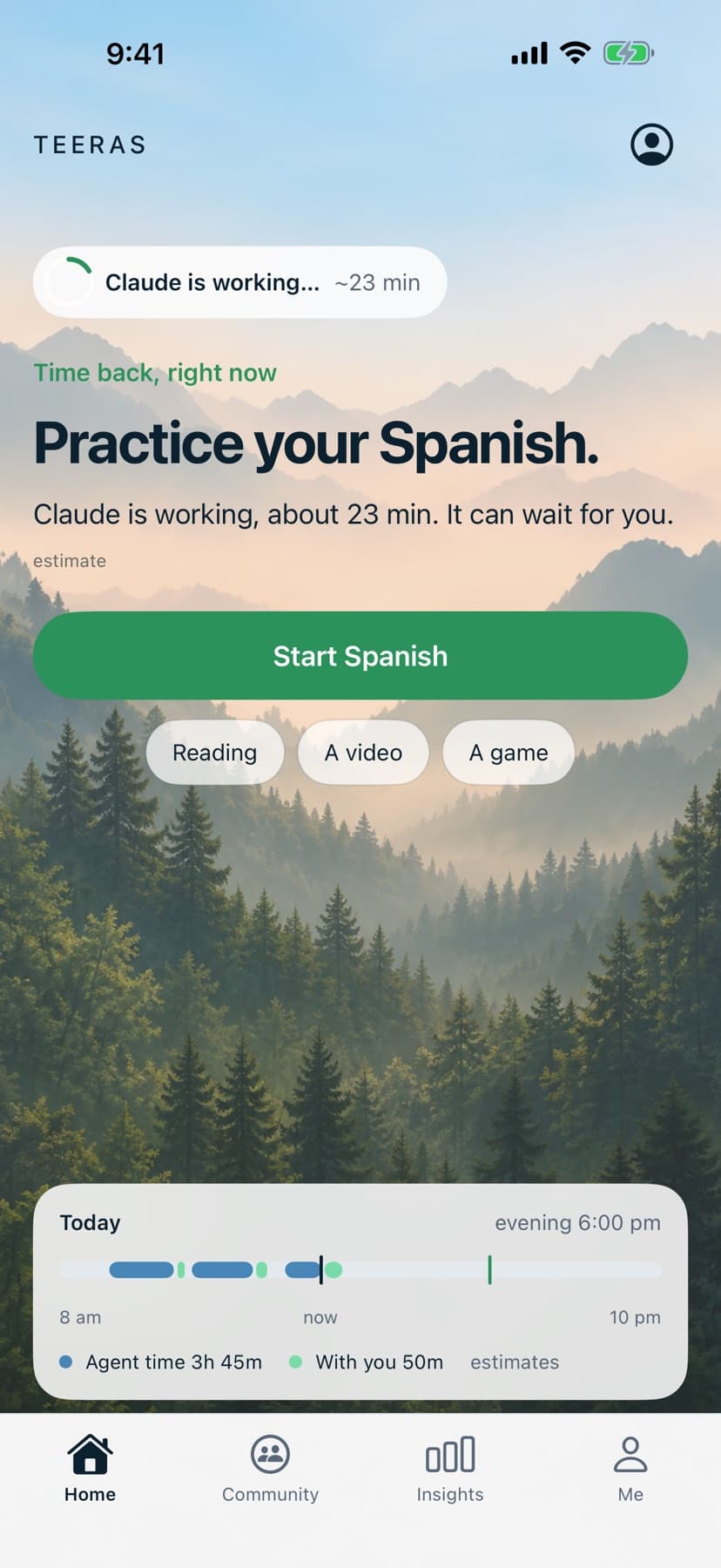
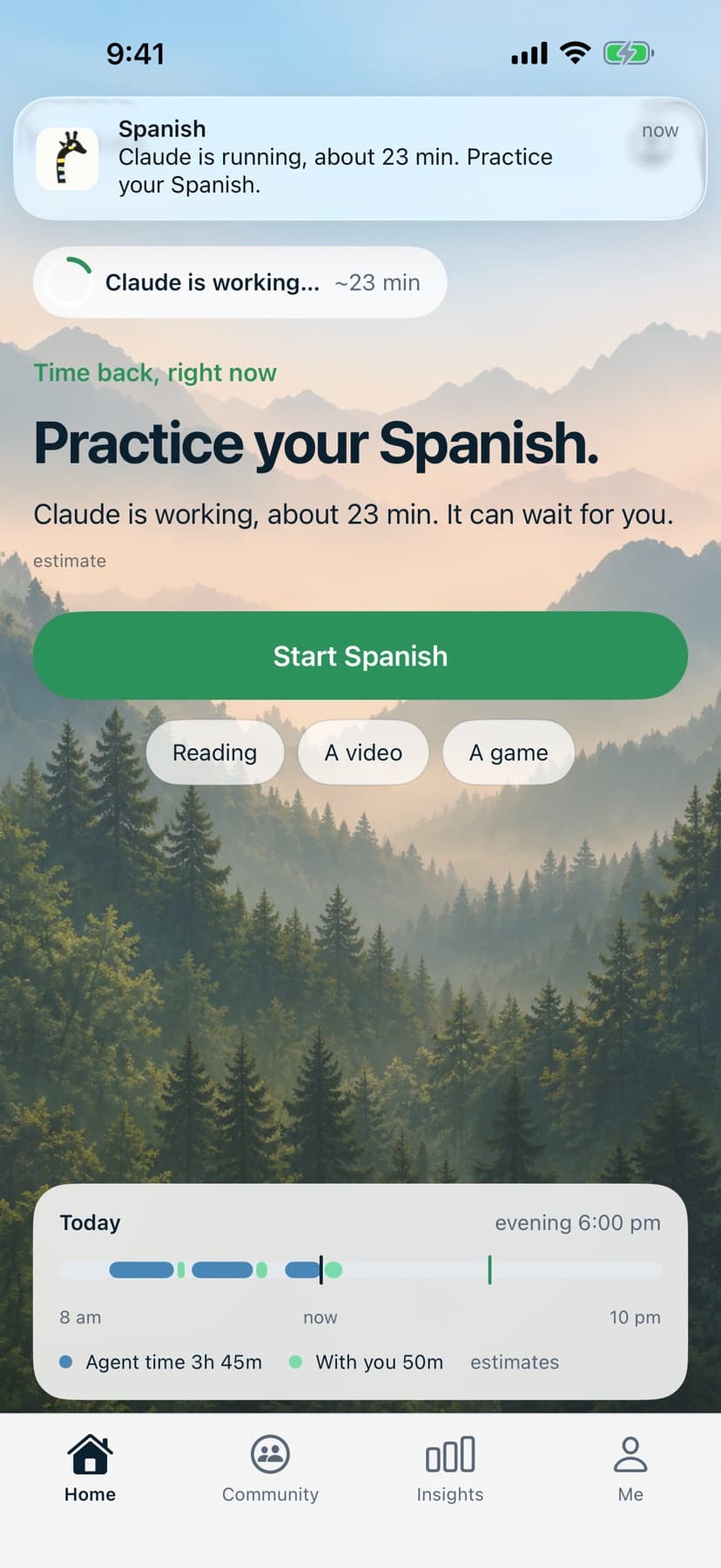
Live while AI works
For people who work with coding agents. Every wait gets a call: stay in it, do something small, or step away. And your evening stays yours.
Free. One command on your Mac, thirty seconds. Prompts, code, and model output stay on your Mac. Activity timestamps and counts sync when you connect an account.
See what Teeras shows while your agent runs, after you step away, and after a month.
Right now
Your agent is working. Teeras reads how long it has, an estimate, always labelled. Under 2 minutes, stay in it. A few minutes, something small. A long run, step away.
Then
Walk outside, practice your Spanish, do ten squats: something that fits the minutes you have. One tap starts it. Teeras tells you when the run is done.
A month in
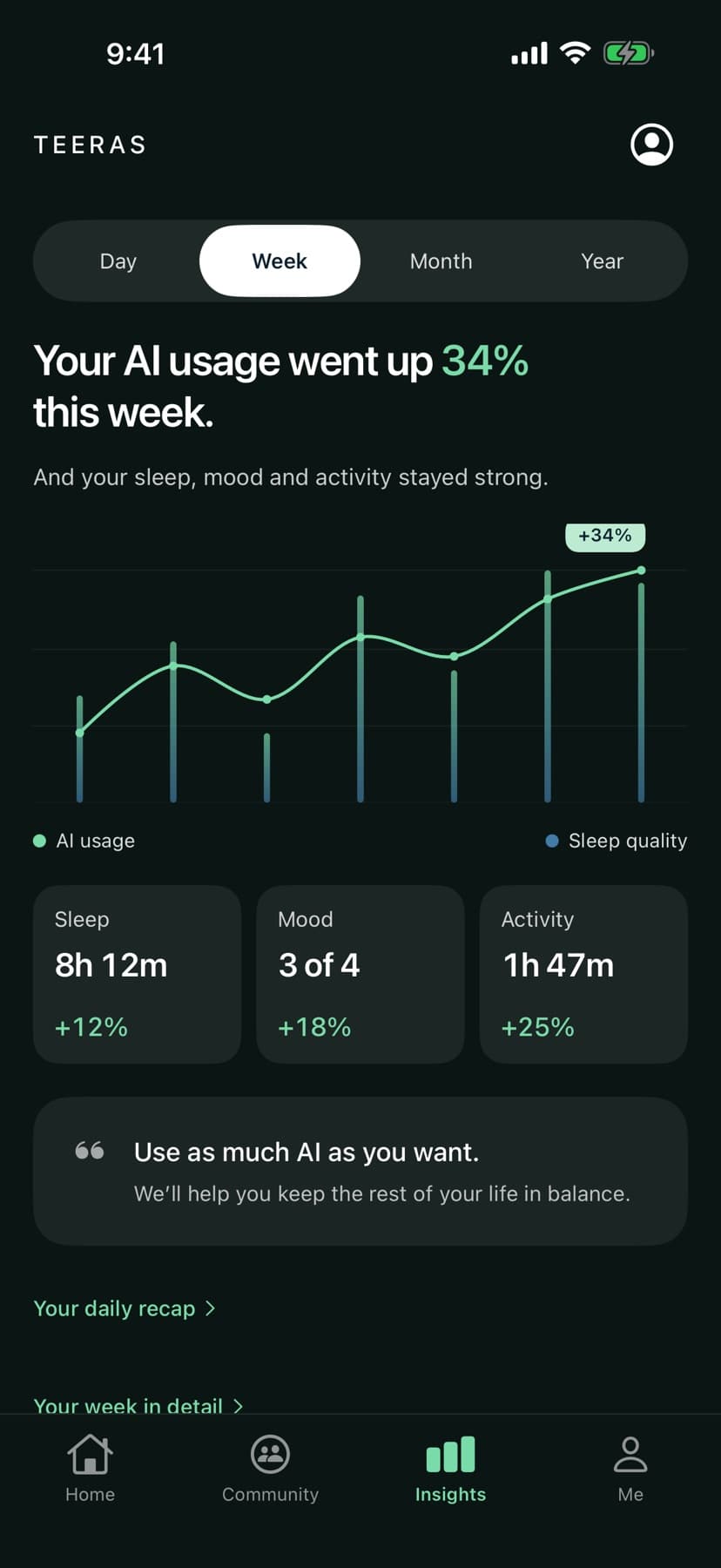
Every night on record: agents on one side, sleep on the other, how you felt beside them. See whether later agent activity coincided with later sleep. An association, never a cause.
Teeras is free. Here’s what setup involves and what data it uses.
One command.
Timestamps.
Your work.
Not enough shared runs yet to call conditions. Yours count.live · aggregate · estimate
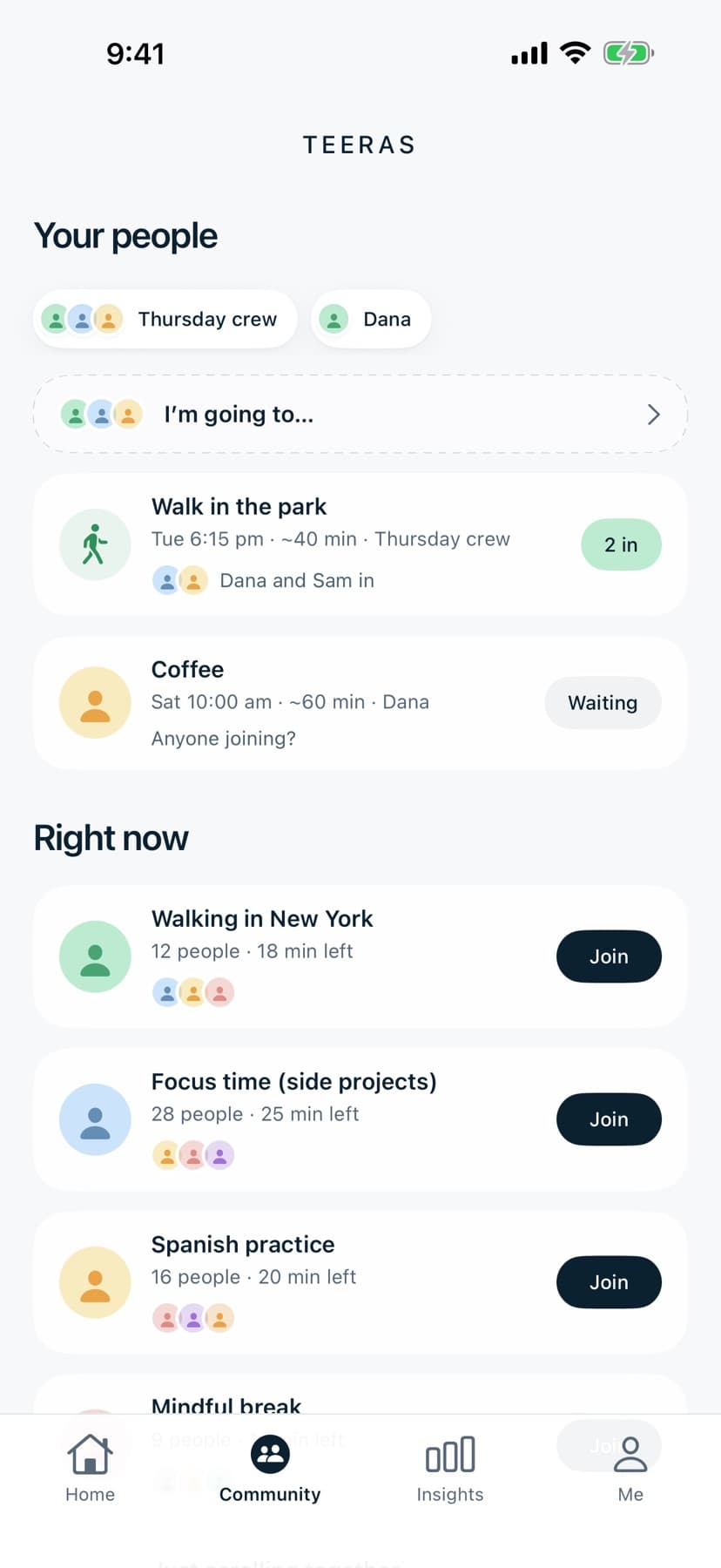
Join a room, make a plan with friends, and see who joined. Your agents can keep running while you spend time with others.
Time with people is the one number you enter yourself, and it sits on the same graph as your agents and your sleep. Never a score.
Free. No account for your first week. Timestamps only, never content.
The short answers